
Support
Prysm has a built-in support inbox. Use it to share an idea, report a bug, or ask a question — it reaches the team behind the bot directly.
Support works in your private chat with Prysm. Running /support
in a group replies with a button that opens your DM with the bot.
Send feedback or ask for help
Section titled “Send feedback or ask for help”-
Open your DM with Prysm and send
/support. The panel shows Send Feedback, Get Help and My Tickets.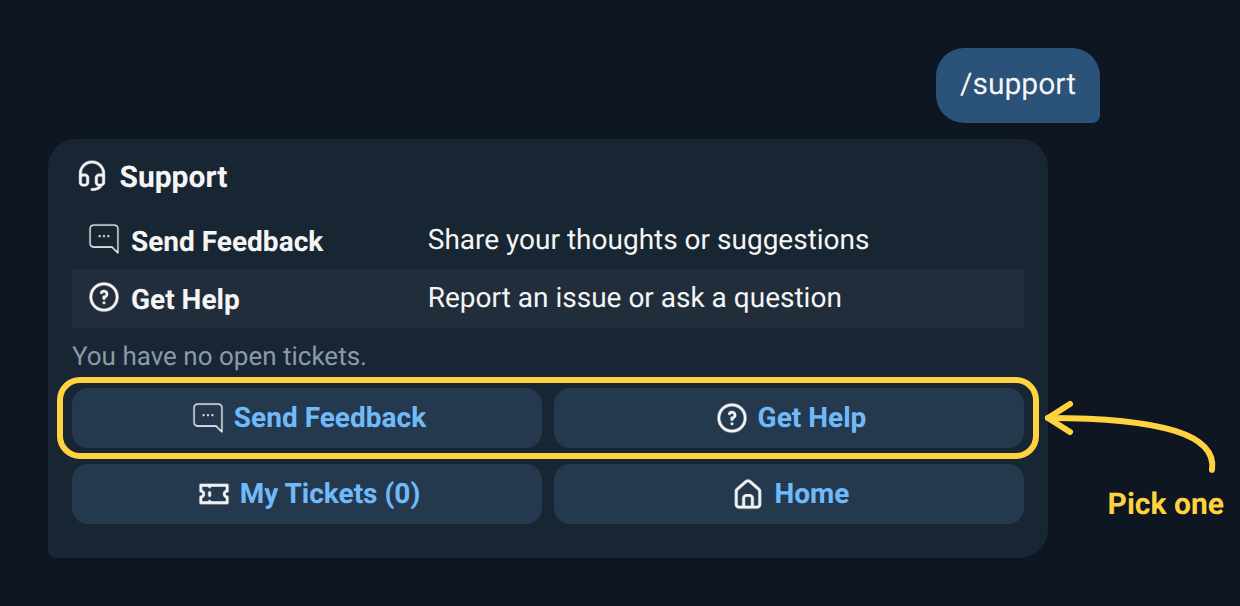
-
Pick one. Send Feedback is for ideas and suggestions; Get Help is for problems and questions.
-
Send your message. Your next message in the chat becomes the ticket. You can write text, or send a screenshot as a photo with your text as the caption. Tap Cancel if you change your mind.
-
Look for the confirmation. Prysm answers with your ticket number, for example ticket #42.
Screenshots
Section titled “Screenshots”Send screenshots as a photo, not as a file. Files (documents), stickers, voice notes and videos aren’t accepted — Prysm asks you to send text or a photo instead.
My Tickets
Section titled “My Tickets”My Tickets lists your ten most recent tickets as buttons, each with its number, type and status (Open or Closed). Tap one to see the whole ticket: your first message and every reply since, oldest first. While a ticket is open you can reply to that view to add to it. A ticket is closed once it has been dealt with, and Prysm sends you the ticket marked Closed when that happens.
Replies
Section titled “Replies”When the team answers, the reply arrives in your DM with Prysm: the whole ticket, with the team’s answer under Support.
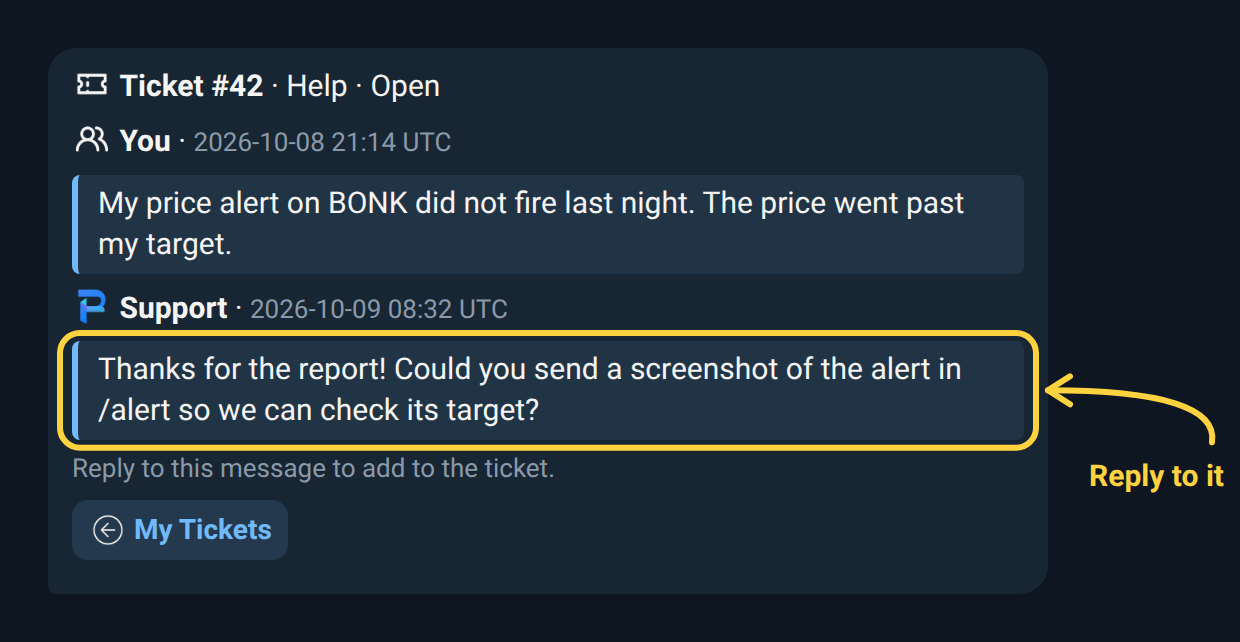
To answer back, reply to that message (swipe it, or long-press → Reply) and send your text or a screenshot as a photo. Prysm confirms with Added to ticket #42. Replying to the ticket received confirmation adds to the ticket too.
A normal message that isn’t a reply isn’t added to a ticket. Once a
ticket is closed, replies to it aren’t accepted; send /support to open
a new one. If the team answers a closed ticket, it opens again and you
can reply as before.
Limits
Section titled “Limits”| Limit | Value |
|---|---|
| Open tickets at a time | 3 |
| Message length | 2,000 characters |
| Time between tickets | 1 minute |
| Time between replies | 5 seconds |
When you have three open tickets, new ones wait until one is closed.