
Settings
Prysm has one settings menu. In your DM it changes your settings. In a group it changes the group’s settings, and only group admins can open it.
Open settings
Section titled “Open settings”- Send
/settings, or - Send
/prysmand tap Settings.
In a group, anyone who isn’t an admin gets Only group admins can configure settings.
The main menu
Section titled “The main menu”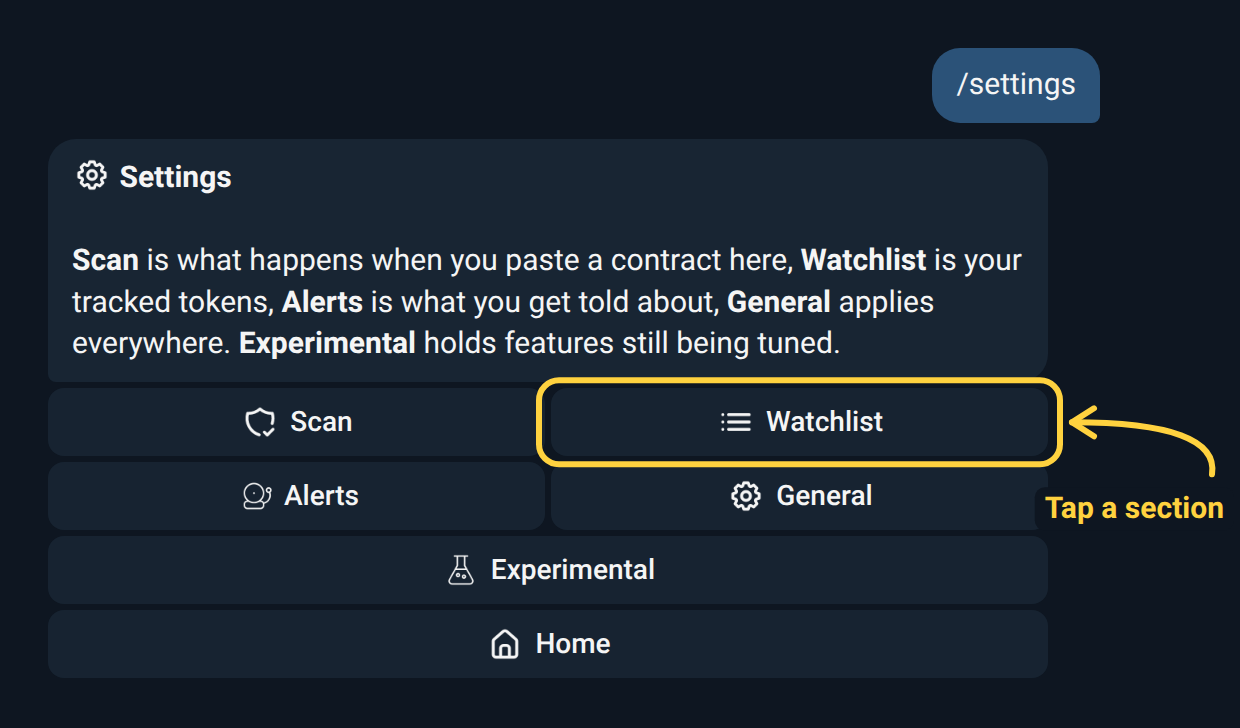
| Menu | What it covers |
|---|---|
| Scan | What happens when a contract is pasted. |
| Watchlist | How the tracked tokens are shown. |
| Alerts | Which alert feeds are on. |
| General | Settings that apply to every card, list and alert. |
| Links | What Prysm shows when someone shares a link (groups only). |
| Experimental | Features still being tuned. |
Home goes back to the /prysm screen. Each menu shows the current state of
its items at the top, and switches show green when on. A menu with nothing in
it for you isn’t shown.
What Prysm does when someone pastes a contract (in your DM, when you paste one): Scan Cards on/off, the card Style, the Picture (chart, banner or off) and, in groups, Thesis.
Chart Links and Trading Bots choose the links at the bottom of the
/i card:
- Chart Links: pick 1 to 3 of DexScreener, DexTools, GMGN, Defined and the BasedBot terminal (DexScreener, GMGN and BasedBot to start with). BasedBot shows only on the chains it trades.
- Trading Bots: pick 1 to 4 (Sigma, Axiom, BasedBot and Cove to start with). A card shows the ones that trade the token’s chain. If none of them do, it shows that chain’s first bots instead. Default puts the starting four back.
In a group only admins can change them.
See Scan Cards for each option, and Thesis & Callouts for the Thesis switches.
Watchlist
Section titled “Watchlist”The top line shows how many tokens are tracked against the limit, for example Tracked: 3/5. By default that limit is 5 tokens in your DM and 10 in a group. Contact the bot owner for a higher limit.
| Setting | Choices | What it changes |
|---|---|---|
| Bag Target | 0.1%, 0.5%, 1%, 2%, 5%, 10% of supply | The share of each token that /bag prices. Default 1%. |
| Sort By | 24h Change, Market Cap, Date Added | The order of /list and the chain shortcuts. |
| Price Change | 1h, 6h, 24h | Which period the price change in your lists covers. |
| List Pagination | Enabled / Disabled, 25 or 50 per page | /list shows at most 25 tokens per chain page, or 20 per page with Chain Tabs off. |
| Chain Tabs | On / Off (default on) | /list shows one chain at a time, with a button per chain. Off shows every chain in one table. |
/list is always split into pages. In your DM, List
Pagination only appears once you track 50 or more tokens; in groups it’s
always there.
In a group, /list and the other watchlist views use the
group’s settings, not those of the person who ran the command.
Alerts
Section titled “Alerts”Switch whole alert feeds on or off here. Price, market-cap and % change
alerts aren’t in this menu: you create and manage those with /alert (see
Alerts).
In your DM:
In a group:
Tap an item to open its panel with its own options.
General
Section titled “General”Chart Provider — DexScreener, DexTools, Defined, GMGN, Axiom or BasedBot. It
decides where token names link in alerts, watchlists, the /i card and the
leaderboard. Scan cards use Scan → Chart Links instead. The group’s choice
applies in the group; yours applies in your DM.
Axiom covers Solana, BSC, Ethereum, Base, Robinhood, HyperEVM, Ink and Arc;
BasedBot covers Solana, BSC, Ethereum, Base, Robinhood, HyperEVM, Avalanche,
Arbitrum, Ink, Unichain, Monad, MegaETH, X Layer and Arc. On any other chain their links open DexScreener.
Groups only. X posts & profiles on/off: a shared X post or profile gets Prysm’s own card. See X Post & Profile Cards.
Experimental
Section titled “Experimental”Features that work but are still being tuned.
In your DM:
- Deployer Tracking — alerts when a tracked pump.fun deployer launches a new token, with an on/off switch and a daily cap.
In a group:
- Deployer Tracking
- New Launchpads — an alert when a new launchpad starts minting tokens that people paste in the group. Off by default. See Factory Explorer.
- Token Launches — an alert when a launch on a watched launchpad stands out. Off by default.
Some items only appear while that feature is switched on for the bot.